

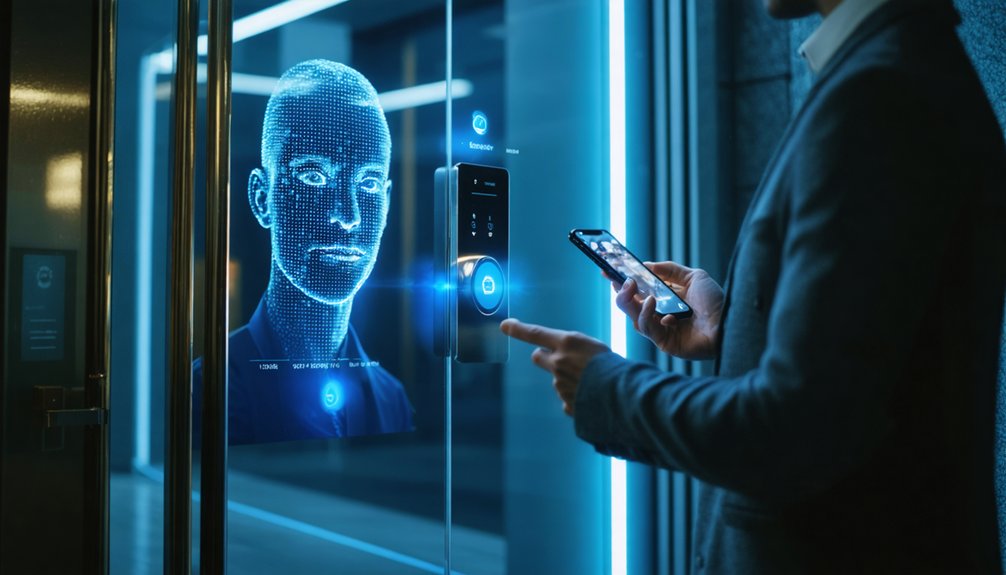

Passwordless security systems verify identity without traditional passwords, using passkeys, biometrics, security keys, or one-time login proofs tied to a device, email, or phone. Most rely on public-key cryptography, so private credentials stay on the user’s device and resist phishing, credential stuffing, and brute-force attacks. They also reduce password resets, speed access, and improve user satisfaction. These systems work especially well in enterprises, finance, healthcare, and mobile-first environments, with rollout steps ahead.
Highlights
- Passwordless security verifies identity with biometrics, passkeys, security keys, or one-time codes instead of memorized passwords.
- It uses public-key cryptography, where a device signs a server challenge with a private key stored securely on the device.
- Removing passwords greatly reduces phishing, credential stuffing, brute-force attacks, and breach exposure from stolen credential databases.
- Common methods include FIDO2/WebAuthn passkeys, biometrics, hardware security keys, magic links, OTPs, and smartphone authenticators.
- Successful rollout requires auditing systems, piloting with recovery options, training support teams, and measuring phishing, adoption, and help-desk impact.
What Are Passwordless Security Systems?
Passwordless security systems verify identity without requiring users to enter a memorized password or other knowledge-based secret. Instead, they confirm identity through possession factors, inherence factors, or temporary proofs tied to a public identifier such as an email address or phone number. This approach removes the burden of remembering credentials and supports smoother access across connected services.
In practice, passwordless security systems may involve biometrics, a hardware token, push approvals, QR codes, or short-lived passcodes. Many enterprise environments use them with Single Sign-On to create a more unified experience. They also strengthen security by avoiding shared secrets, reducing phishing, credential stuffing, and brute-force exposure. Built on standards such as FIDO2 and aligned with modern compliance expectations, they represent a practical future token of digital trust. Passwordless systems also help organizations reduce risk by eliminating shared secrets that attackers commonly steal or reuse. Many passwordless platforms rely on public-key cryptography, storing a private key on the user’s device and a public key on the server to complete secure challenge-response login. They also reduce IT support burdens by eliminating routine tasks like password resets.
How Do Passwordless Security Systems Work?
At the heart of passwordless authentication is a cryptographic exchange that proves identity without transmitting or storing a reusable secret. Standards such as FIDO2 and the WebAuthn API let a site send a challenge, while the user’s device signs it with a private key stored locally in secure hardware. The server checks the matching public key and confirms identity. This approach helps block credential-stuffing attacks by removing reusable passwords from the login process. FIDO2 delivers phishing-resistant login by using public-key cryptography instead of shared secrets.
During enrollment, an authenticator such as biometrics or a security key is linked to the account, and multiple authenticators can be added for recovery. At login, device factor authentication confirms possession of the registered credential, while device attestation and situational checks can verify device integrity and posture. Passkeys extend this model across devices, and zero sign-on can grant seamless access when trusted certificates and situation align securely. For organizations, this can also reduce help desk workload by cutting password-reset support needs.
Which Passwordless Authentication Methods Matter Most?
Several passwordless authentication methods stand out because they balance security, usability, and deployment practicality in different ways.
Biometric authentication remains influential because fingerprint, facial, and iris recognition offer fast, low-friction access, though hardware needs and privacy concerns affect suitability. They also improve convenience by enabling fast login without requiring users to recall passwords or carry separate tokens.
FIDO2 and WebAuthn matter most for broad Market adoption, since Google, Apple, and Microsoft support them across consumer and enterprise ecosystems. They use public-key cryptography, storing the private key securely on the user device while the server keeps only the public key. This approach also enables device-bound credentials that reduce phishing risk and eliminate shared secrets.
Hardware tokens and security keys are also important where organizations prioritize strong credential control and distributed designers.
Magic links and one-time passcodes continue to matter because they simplify access and onboarding, especially across email, SMS, apps, and WhatsApp.
OAuth and social login integration also deserves attention, reducing sign-in friction while supporting enterprise connectivity, conversion goals, and Regulatory compliance requirements across large application environments and communities.
Why Passwordless Security Systems Are More Secure
What makes these methods stand out is not just convenience, but a measurable security advantage. Passwordless security removes weak and reused passwords, cutting off a common entry point for attackers.
Without static credentials to steal, brute-force attempts and credential stuffing become far less effective, and unauthorized access through weak password exploitation is sharply reduced. Credential stuffing incidents drop by 80% after passwordless implementation, showing a clear attack reduction.
Security gains are also proven in practice. Phishing attacks decline markedly after adoption, while FIDO2‑based approaches deliver over 99% resistance through uncopyable cryptographic credentials. In fact, 81% of security incidents stem from compromised credentials, underscoring the value of credential elimination.
By eliminating password storage, organizations shrink the attack surface and reduce breach exposure tied to stolen credentials. Users also benefit from fewer password reset requests and less password fatigue, improving both security and operational efficiency through help-desk reduction.
These outcomes support stronger Compliance standards and better Risk mitigation, while helping teams feel aligned around a modern security model.
The result is fewer incidents, lower breach costs, and more resilient protection overall.
How Passwordless Security Systems Improve User Access
How do passwordless security systems improve user access in practical terms? They remove the burden of creating, remembering, and resetting complex passwords, allowing people to sign in with a fingerprint, face scan, passkey, PIN, or security token.
That simplified process reduces cognitive load, shortens authentication time, and supports instant access to applications across devices. It also enables continuous access, helping users stay productive without unnecessary workflow interruptions. Organizations should still provide alternative sign-in methods to support users who cannot rely on biometrics due to injuries, disabilities, or device limitations, improving accessibility planning.
Lower login friction also improves daily work. Users spend less time on password issues, which can consume about 12 minutes each week, and more time contributing where they belong.
Faster, more intuitive access strengthens satisfaction, encourages user adoption, and simplifies onboarding for new team members. It also supports mobile access for users working securely across devices and locations.
At the same time, fewer reset requests reduce help desk costs and free IT staff for higher-value priorities.
Streamlined access can also improve compliance metrics through more consistent, centralized account management.
Where Passwordless Security Systems Fit Best
Clarity emerges when passwordless security is matched to environments where speed, trust, and risk control matter most.
It fits especially well in financial institutions, enterprises approving critical transactions, and organizations guarding confidential records, where biometrics plus added factors strengthen identity assurance and reduce credential theft.
It also suits e-commerce and customer onboarding, where magic links, one-time passcodes, and social logins shorten sign-in and checkout, helping people move forward with less friction.
In government and healthcare, phishing-resistant device-based credentials, audit trails, and analytics support stronger oversight and compliance alignment.
Large organizations gain from scale, helpdesk reduction, and enterprise integration across cloud, mobile, legacy apps, and single sign-on platforms.
Decentralized identity models further limit breach exposure by keeping private keys on user devices and local authentication controls.
How to Roll Out Passwordless Security Systems
Successful rollout of passwordless security systems begins with disciplined preparation rather than immediate replacement of every login flow. Teams audit infrastructure, authentication methods, legacy compatibility, compliance needs, and risk exposure, then establish baseline metrics for phishing, helpdesk demand, MFA usage, and provisioning speed before implementation migration begins.
A practical adoption strategy follows a Design-Execute-Scale model. Organizations prioritize workstation logon, externalize authentication through shared identity standards, and choose authenticators suited to each group, including Windows Hello for Business, biometrics, FIDO2 keys, smartphones, and passkeys. Pilots should mirror real use cases, run beside existing access methods, and include helpdesk training for issuance, recovery, and revocation. After validation, password surfaces can shrink, federated identity can expand, and PAM plus continuous authentication can reinforce trust, security, and operational confidence.
References
- https://www.yubico.com/resources/glossary/what-is-passwordless-security/
- https://www.ssh.com/academy/secrets-management/top-advantages-of-passwordless-authentication-for-businesses
- https://www.cyberark.com/what-is/passwordless-authentication/
- https://www.bdo.com/insights/digital/advantages-of-passwordless-authentication-in-a-zero-trust-world
- https://www.rsa.com/resources/blog/passwordless/what-is-passwordless-authentication/
- https://www.kensington.com/news/security-blog/benefits-of-passwordless-logins/
- https://www.hypr.com/resources/passwordless-security-guide
- https://www.huntress.com/cybersecurity-101/topic/passwordless-security
- https://www.okta.com/identity-101/passwordless/
- https://www.kaspersky.com/resource-center/definitions/what-is-passwordless-authentication